wxdiagram
A zoomable shape-and-connector canvas for wxPython.
wxdiagram gives a wxPython application a modern diagram canvas without the
ceremony of wx.lib.ogl: shapes, edges, selection, zoom/pan, and JSON
persistence in a small MIT-licensed package.
It began life as ogl2, an internal canvas for
pynsource. The name is now retired; this
is the standalone library. See NOTICE.md for the wx.lib.ogl and OGLlike
attribution.
Features
- Canvas with real zoom/pan —
ZoomIn,ZoomOut,ZoomTo,ZoomReset,ZoomToFit,CenterOn; Ctrl+wheel and macOS pinch zoom anchored at the pointer; drag empty canvas to pan; mouse-wheel scrolling. - Selection and handles — shift-click multi-select, corner resize handles (proportional by default, Shift = free aspect, Alt = from centre), round side dots for dragging connections, an optional grid with snap-to-grid, and magnetic alignment guides. Non-connectable shapes also get edge handles.
- Connectors — attached lines clipped to shape perimeters, arrowheads,
splines, dashed pens, bend control points, editable edge labels, and per-edge
routing modes (
straight,auto,avoid,curved,orthogonal). - Shapes — rectangles, ellipses, polygons (interior hit-testing), points, lines, bitmaps, divided shapes, labelled blocks, composites with constraints that scale their children, and text labels.
- Export — render the diagram to PNG at any scale (
ExportPng). - JSON persistence — versioned, portable, no pickle.
- Keyboard — Delete, Tab cycle, Ctrl+A, Ctrl+C/V.
- Headless-friendly — shapes and the diagram model work without a window.
Demos
Three runnable demos ship with the package:
uv run python -m wxdiagram.demo        # kitchen sink
uv run python -m wxdiagram.shapesdemo  # Shape Studio-style editor
uv run python -m wxdiagram.layoutdemo  # spring layout + routing playground
The helper scripts ./bin/run, ./bin/run-shapes and ./bin/run-layout run
the same three demos. See Getting started
for what each one covers.
Kitchen sink
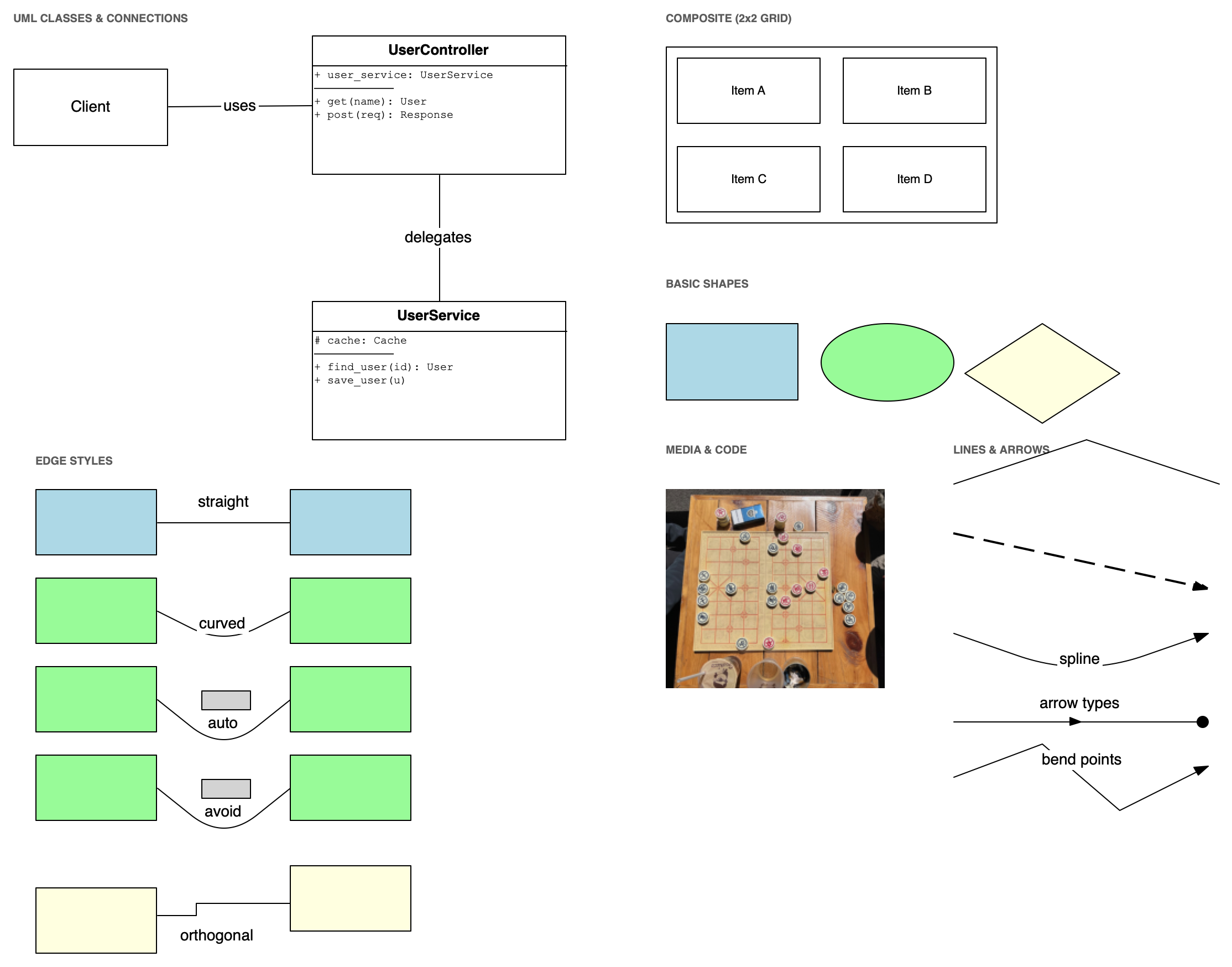
UML-style class boxes, composites, the shape gallery, bitmaps, captions, edge styles and arrows, with File/Edit/Add/Arrange/View menus. This image is a canvas export; the other two are window captures.
Shape editor
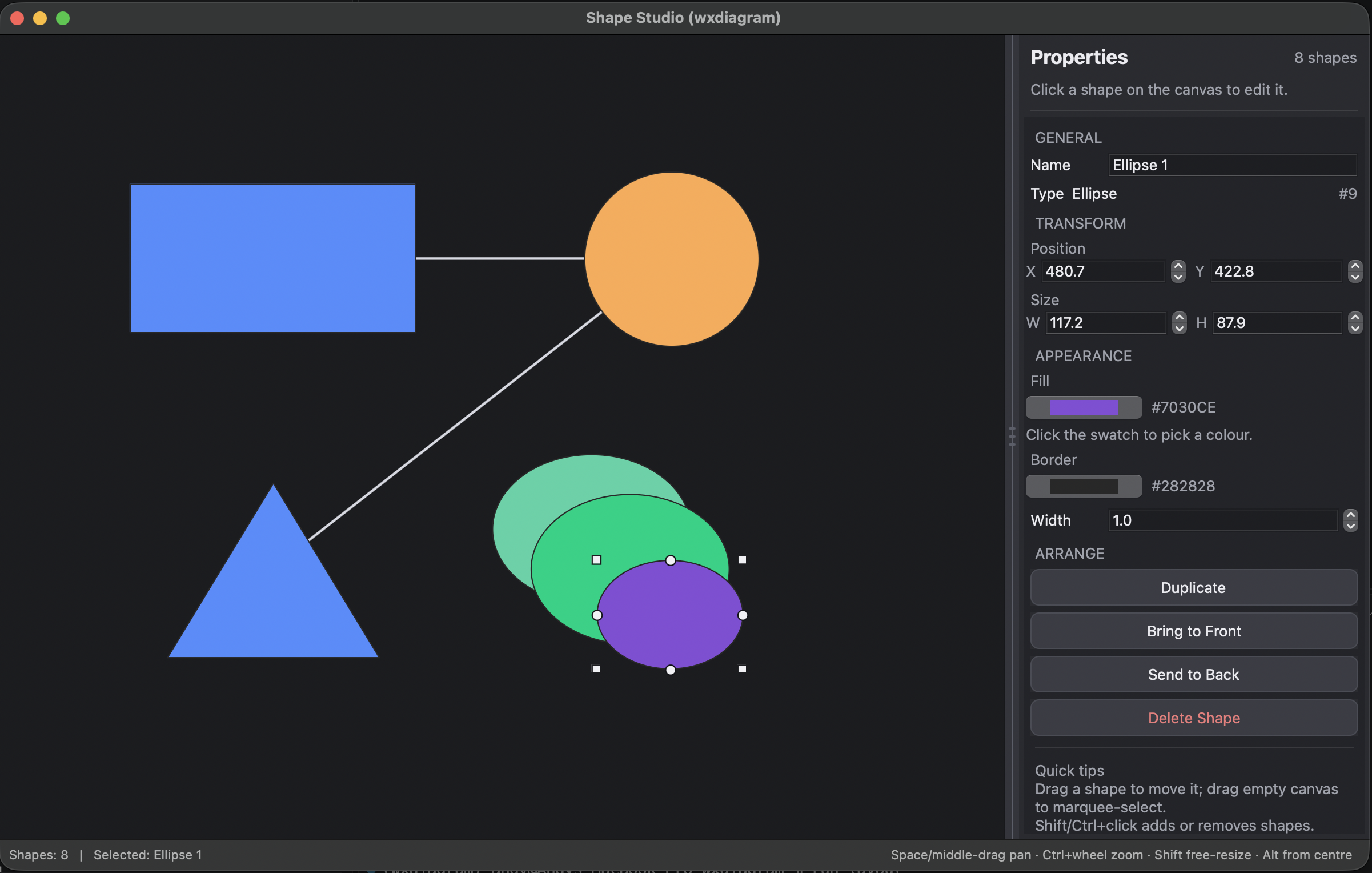
Add and edit rectangles, circles, ellipses, triangles and free lines, with a properties panel, connection dots, grouping, grid/snap and light/dark themes.
Layout playground
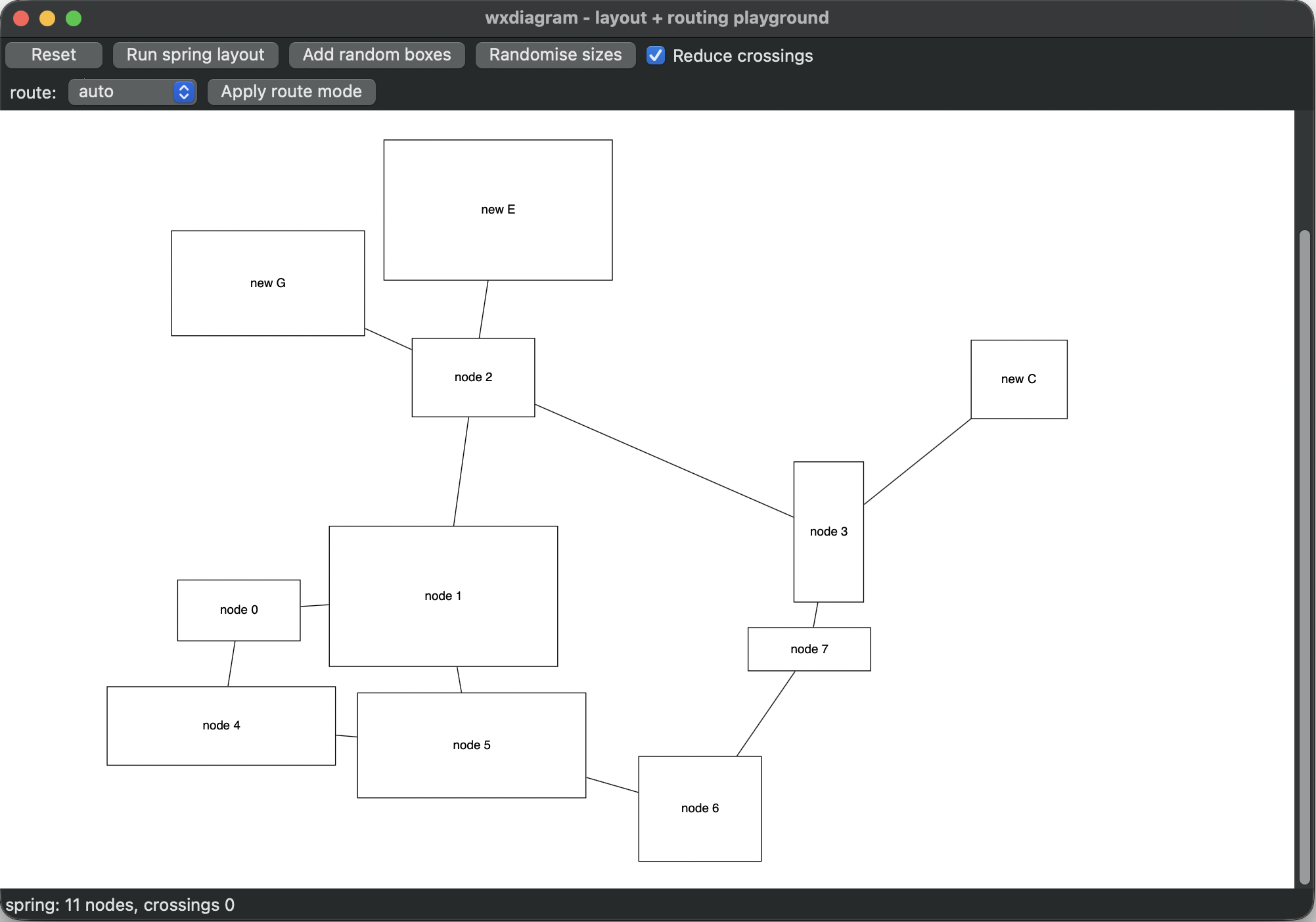
Build a small graph, run the spring layout, randomise sizes and switch edge
routing modes. The screenshot shows the graph after Run spring layout.
Scope
wxdiagram is a canvas library, not a UML framework or a full layout
engine. It deliberately does not include a UML parser, application menus,
licensing, PlantUML integration, or a Sugiyama/A* layout engine. Layout is
pluggable.
See Getting started and the migration guide.