Bookmark Super Manager
Bookmark Super Manager — a local-first bookmark manager that also edits your real Chrome bookmarks
Every browser gives you bookmarks, and every browser does almost nothing with them. No decent search, no duplicate finding, no way to actually reorganise the hundreds of folders you’ve accumulated over a decade. So I built Bookmark Super Manager — a fast, local-first bookmark viewer and manager that runs entirely in your browser.
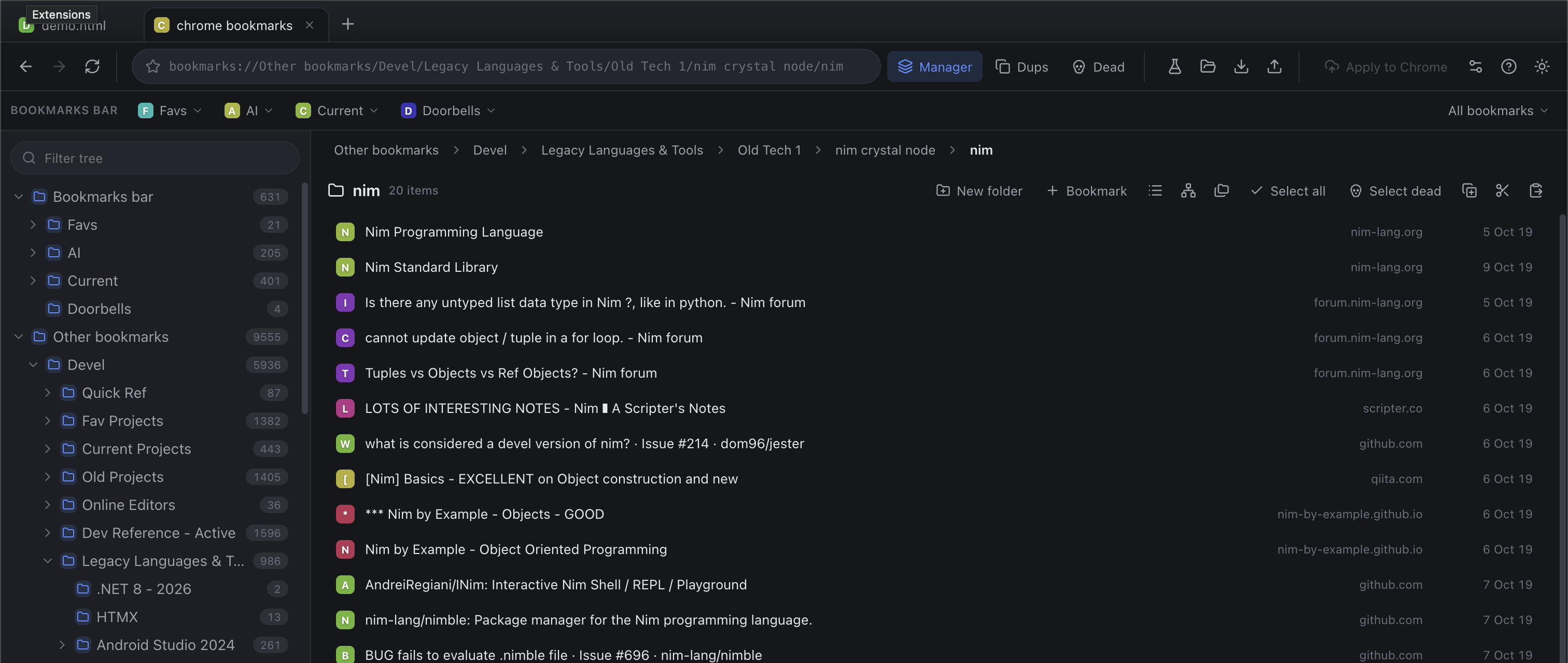
Try it now → bookmarks-super-manager.netlify.app — the standalone web app
Edit your real Chrome bookmarks → grab the latest Chrome extension zip from the Releases page: unzip it, then
chrome://extensions→ Developer mode → Load unpacked → the extracted folder. No compile needed.
Nothing is uploaded
The headline feature is privacy-first by design: nothing is uploaded. Everything runs locally in your browser — bookmarks live in your browser’s own IndexedDB and never leave your machine.
Two ways to use it, one manager
The clever bit is that both modes share the same manager UI — the only difference is where bookmarks come from and how changes leave:
| Standalone web app | Chrome extension | |
|---|---|---|
| What it is | A website you open in any browser | An MV3 extension for your live Chrome bookmarks |
| Bookmarks | Exported files (import → organise → export) | Live chrome.bookmarks, edited in place |
| Touches your real bookmarks? | No | Yes — that’s the point |
And once you’re ready to go all-in, install the extension and the Apply to Chrome button pushes your reorganised tree back into Chrome itself.
What it does
- Netscape-HTML import (Chrome / Safari / Edge / Firefox) and Firefox JSON import
- Chrome-compatible HTML export
- Sidebar tree with drag & drop, cut / copy / paste, multi-select
- Full-text and folder search
- Duplicate detection with an interactive “keep newest” view
- Link checker and dead-bookmark finding, with per-folder link/dead counts
- Tabs — open, merge, and switch between bookmark files
- Undo across reorganisation actions
Search that actually understands you
Press ⌘F / Ctrl+F and type in the omnibox to search names, URLs and folder names. Results are grouped by their location in the tree. Smart term matching applies to every search box:
- Space-separated terms match everything —
pi codefinds items matching bothpiandcode. - Terms match the title as a substring —
wikmatchesWikipedia(names only; buried-in-URL terms don’t create scan-noise). - Double-quoted terms are exact whole words —
"pi"matches the wordpionly, and whole-word terms also look in the URL.
So git "branch" finds an item whose name contains git (anywhere) and that somewhere
contains the whole word branch (name or URL).
The Chrome extension, properly done
Editing real Chrome bookmarks in place needs more respect than a normal app, so the extension plays it safe:
- Mobile bookmarks get their own root section, exactly as in Chrome’s Bookmark Manager.
- Safety: the live tab is never persisted, Apply shows a reviewable diff and confirms deletes, refuses to run if Chrome changed elsewhere since the tab loaded, and re-diffs after writing. Chrome’s permanent top-level folders (Bookmarks bar / Other bookmarks / Mobile bookmarks) are never deleted.
- Updates: sideloaded extensions can’t silently self-update on branded Chrome, so the extension checks the GitHub releases API on startup (and hourly) and nags once per version with a “Get vX.Y.Z” link straight to the latest release. That version check is the only network call it makes.
A note on link checking
A browser only sees cross-origin network failures, not HTTP status codes. For real statuses the app uses a small local proxy during development. On static hosting the proxy is absent and link-checking falls back to network-level (DNS/TLS/connectivity) checks only — a pragmatic trade-off of running the whole thing on static hosting with nothing server-side.
Releasing
Every push to main where the version in package.json changed triggers the release
workflow — it builds the extension, zips it, and publishes vX.Y.Z as a GitHub Release
(the in-app updater reads that same feed). Releases are just: bump the version, push, and
watch the Actions tab go green.
Code: github.com/abulka/bookmarks-super-manager · MIT licensed