EuroPi-Go
EuroPi-Go
An alternative firmware for the EuroPi Eurorack module, written in Go and compiled for the Raspberry Pi Pico with TinyGo. The official EuroPi firmware is written in MicroPython; EuroPi-Go explores what the same hardware feels like with a compiled language — faster execution, a real type system, and a familiar Go toolchain.
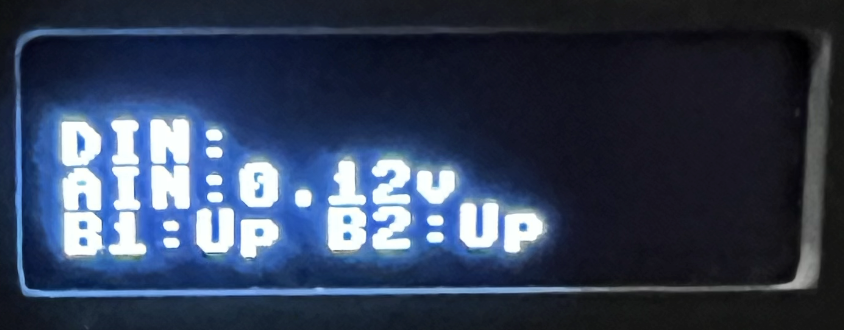
The module is a self-build Eurorack module that puts a Raspberry Pi Pico behind a small OLED display, two knobs, two buttons and a handful of CV inputs and outputs. EuroPi-Go boots into a menu of apps and lets you run them on the real hardware or in a mock on your desktop.
A stalled project, now worth re-checking
Development stalled on a TinyGo runtime bug: the Pico would freeze when using channels, goroutines and timers together — exactly the combination this firmware relies on. That issue was closed as completed on 23 September 2026, so it’s likely worth revisiting the project now.
Apps
The firmware ships a menu of small apps, several of them ports of ideas from the Python EuroPi scripts:
- Clock — a clock generator.
- Trigger Gate 2 — a trigger-to-gate converter (see the Python Trigger to Gate script).
- Trigger Mirror — mirrors an incoming trigger to an output.
- Pixels 4 — a four-pixel display toy.
- Font Display and Hello World — display demos.
- Menu Fun — a menu demo.
- Diagnostic — hardware diagnostics.
Display and fonts
Text is written to the display with a small drawing API. The default is three lines, or
you can build with -tags lotslines for four lines (on the 32-pixel-high display the lines
then sit flush against each other, so it’s a readability trade-off).
By default it uses the same custom 8x8 font as the original MicroPython firmware. A
-tags tinyfont build switches to the TinyGo font library,
which doesn’t look as good but can be pointed at a range of fonts.
Mock mode
You don’t need the hardware to develop against it. A mock build simulates the display, knobs and buttons and runs as a normal Go program, optionally with a Bubble Tea terminal UI:
go run ./cmd/mock        # plain text display output, handy for testing
go run ./cmd/mock -tea   # interactive terminal UI
The mock also accepts -lotslines and -tinyfont flags to match the hardware build tags.
Building and flashing
Install TinyGo, then from the project directory:
go mod tidy
tinygo flash -target=pico --monitor ./cmd/pico
If flashing fails, unplug the Pico, re-run the command, and hold the reset button while
reconnecting the USB cable. To just prove it compiles, use tinygo build -target=pico ./cmd/pico.
The code is developed with a tinygo build tag in VSCode so intellisense matches the target;
disable that tag when running the mock or the tests.
Testing
go test ./...
There are tests for the display and control packages, using the mock implementations.
Relationship to the other EuroPi projects
- EuroPi - Trigger to Gate — the Python script that converts triggers into gates, with gate delay and a clock mode.
- EuroPi - Utility Classes — the Scheduler, Hysteresis Mitigation and Knob Pass Through classes for Python EuroPi scripts.
Technologies
| Description | Technology |
|---|---|
| Language | Go |
| Embedded toolchain | TinyGo targeting the Raspberry Pi Pico (RP2040) |
| Mock UI | Bubble Tea terminal UI |
| Fonts | Custom 8x8 font or the TinyGo font library |
Code: github.com/abulka/europi-go · MIT