Compose Permutator
Compose Permutator
A browser-based composer’s assistant that turns a tiny musical seed into a full piece by applying systematic transformations. It is inspired by David Bruce’s celebrated guide to composing, which starts from the Chopsticks theme (nicknamed “Linus”) and mutates it using around fifty compositional tricks. Compose Permutator turns that idea into a hands-on, visual workbench where you can do the same thing with any seed — even one you import from a MIDI file.
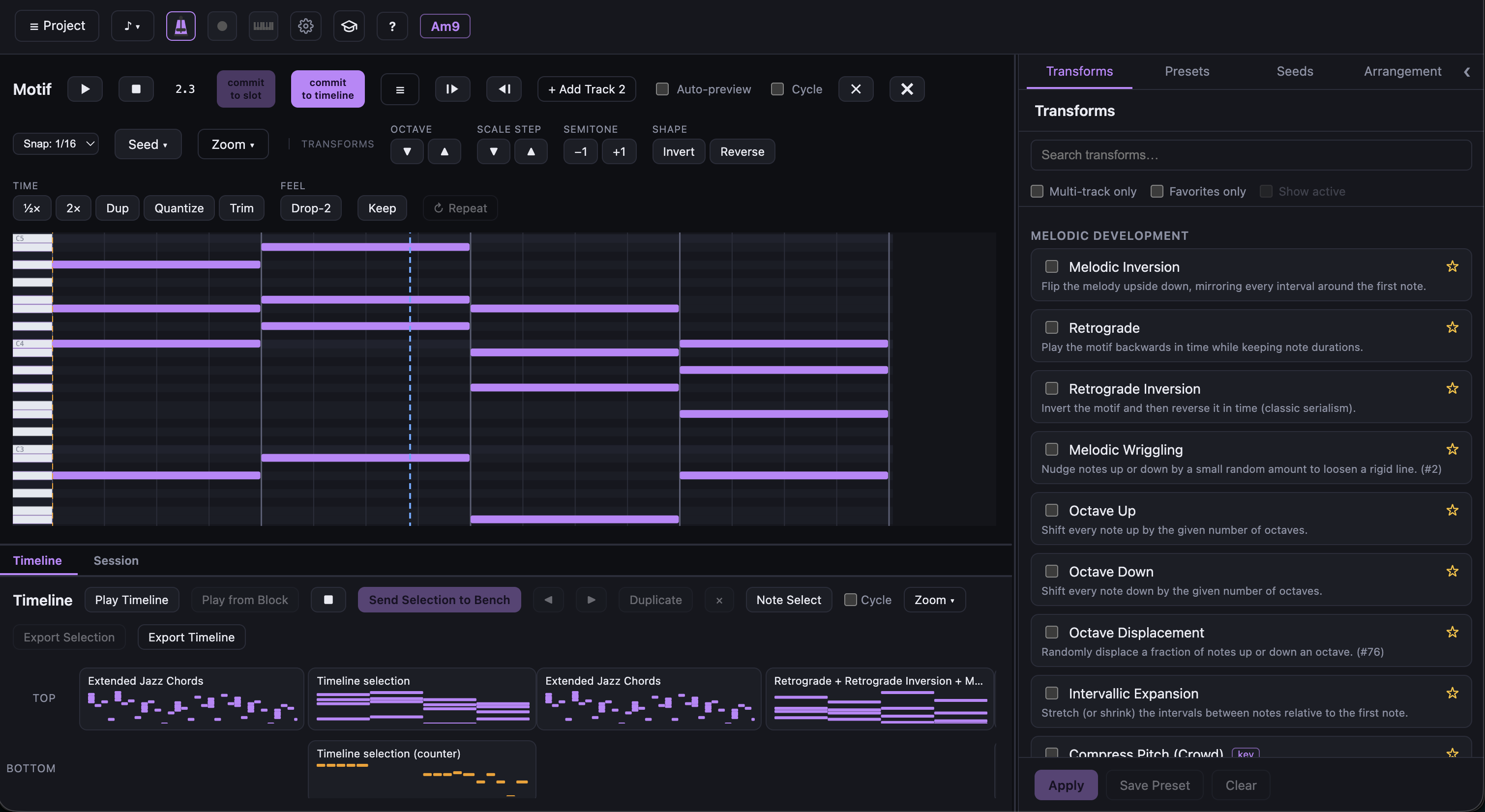
The workflow
The whole app follows one consistent model: preview → Enter to apply → t/i/a to commit
to timeline.
- Seed — pick a starting point from the Seed menu (Chopsticks, Blues Riff, Bach Fragment,
Pentatonic Riff, Minor Lament, Alberti Bass) or import a small fragment from a MIDI file.
rre-seeds the bench,nstarts a fresh project. - Motif Bench — the working area. The piano roll shows the current motif. Pick transforms and they appear as a live green preview with a “Pending” chip list, so you can audition ideas before committing to them.
- Apply — press Enter to bake the previewed transforms into the motif, then keep stacking and mutating.
- Timeline — press
tto drop the current motif at the end of the arrangement,ito insert before the selected block, orato append after it. - Export — Export Motif writes the current bench clip (both voices, with tempo and time
signature); Export Timeline flattens the whole arrangement into one standard
.midfile that any DAW can open.
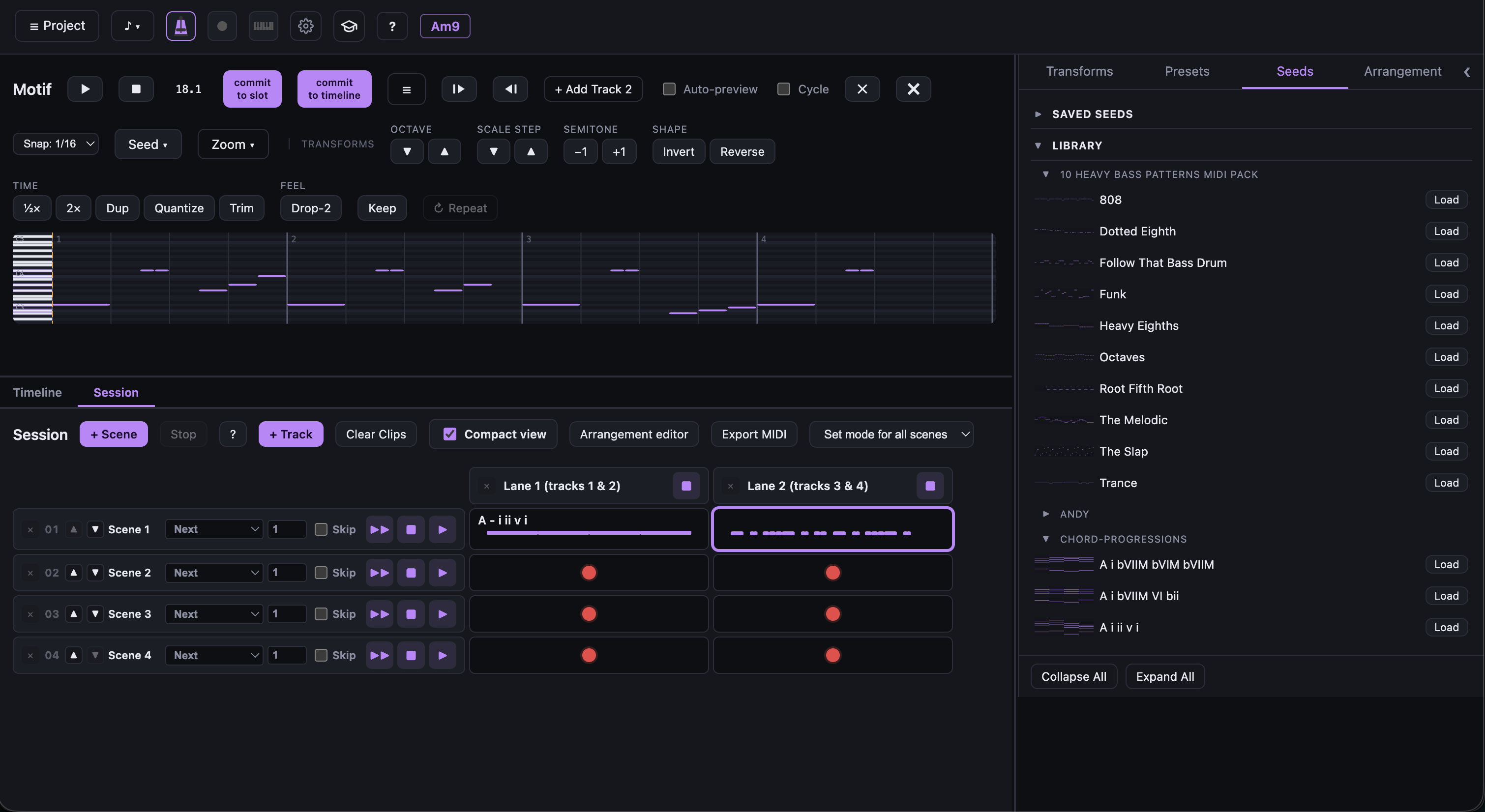
If you are used to Ableton Live’s Session view, the second screenshot will feel familiar: the Timeline is an arrangement of motif blocks that you can reorder, insert before/after, and render out — the same clip-based way of thinking, but for generative composition.
Fragment selection
Drag a rubber-band (or click / shift-click notes) on the piano roll to select a fragment. While notes are selected, transforms apply only to that fragment (normalized in place), so you can develop just one phrase without disturbing the rest of the motif.
The transforms
The app ships with a large library of transformations, organized by category:
- Melodic Development — Melodic Inversion, Retrograde, Retrograde Inversion, Melodic Wriggling, Octave Up/Down, Intervallic Expansion, Compress Pitch.
- Harmony — Diatonic & Chromatic Transposition, Snap to Scale, Extended Jazz Chords, Quartal Harmony, Polytonality, Symmetrical Mirroring, Negative Harmony, Cluster Chords, Atonality.
- Rhythm & Texture — Stretch (Augmentation), Compress (Diminution), Syncopation, Thin Out (Density), Velocity Humanize, Timing Humanize.
- Layering — Drop-2 Voicing, Static Drone, Arpeggiation, Canon.
Humanize/random transforms use a seeded RNG, so previews are deterministic — a nice touch when you want to recreate a particular result.
A quick-access bar above the piano roll covers the most common moves (snap to scale, octave and
scale-step nudges, invert/reverse, half/double time, humanize, drop-2, repeat-last), and the
full categorized set is always available in the Transforms panel. Common transforms stack
onto the pending preview (e.g. click +1 three times = +3), then Enter applies the whole
stack.
Keyboard shortcuts
| Key | Action |
|---|---|
Space |
Play / stop the bench preview |
Ctrl+Space |
Play / stop the timeline (from the selected block) |
Enter |
Apply the pending preview |
i |
Insert motif before the selected timeline block |
a |
Append motif after the selected timeline block |
t |
Append motif to the end of the timeline |
On macOS,
Cmd+Spaceis Spotlight; useCtrl+Spacefor the timeline.
Persistence
Your project (seed, current motif, timeline, key/scale, tempo) auto-saves to
localStorage and is restored on load. The Project menu also lets you Save to JSON… and
Open from JSON… for versioned, validated project snapshots, and presets are stored
separately.
Tech stack
Built with Vite + Vue 3 (Composition API) and strict TypeScript, with Pinia for state, tonal for scale/interval math, @tonejs/midi for import/export, and Tone.js for in-browser synth playback and transport. The transform engine is unit-tested with Vitest.
Try it at compose-permutator.netlify.app · Code: github.com/abulka/compose-permutator (private for now)