Toolback
Toolback - a modern ToolBook spiritual successor: book → pages → objects, authored visually, scripted in plain JavaScript. If you ever built something in ToolBook or HyperCard, you’ll feel at home — everything else is 2026.
It’s free, open source, and runs entirely in the browser — try it live at toolback.netlify.app, or read the source at github.com/abulka/toolback4 (topics: toolbook, hypercard-inspired).
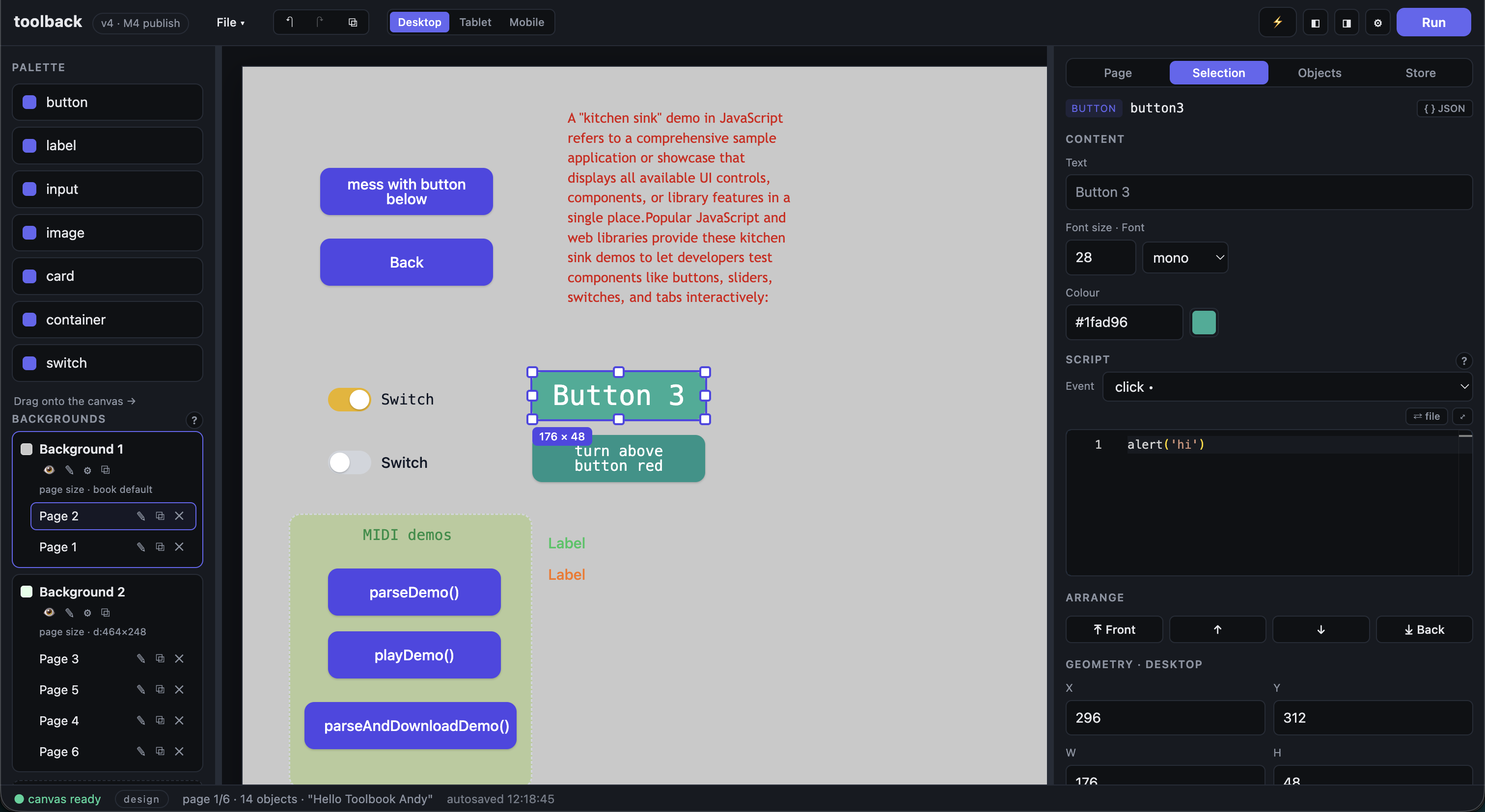
Books are open data (a single .toolbook.json), editing is local-first (an autosave in IndexedDB keeps nothing hostage), and Publish produces one self-contained HTML file you can drop anywhere. No backend, no build step for your books, nothing to install for your readers.
Why I built this
ToolBook (and HyperCard before it) had something that the modern web lost: the author and the reader were the same person, five minutes apart. Click a button into existence, script it in a language that fit on one screen, and press a key to play. Publishing was “save a file”. A kid could make something and deploy it before lunch.
Authoring tools today are a hellscape by comparison — a login, a cloud subscription, a wall of panels, an SDK version matrix, a two-stage pipeline, a build step that needs its own conference talk, and a platform that decides to deprecate your “simple” app every six months. Nothing you make is yours, and nothing stays small.
Toolback is the counter-move, driven by nostalgia and intent:
- Easy to use again — drag-and-drop authoring, a visible canvas, one screen of sensible panels. Design and run share one space; F3 / ⌥3 flips between them like the ToolBook of old.
- Easy to deploy again — Publish writes a single standalone
.htmlwith everything (player, your book, even npm libraries) baked in. Host it on any static server, stick it in apublic/folder, email the file. There is no “backend” and no “production environment”. - Modern under the hood — scripts are plain JavaScript: no dialect, no macro language, no 1990s scripting school. The editor’s IntelliSense is curated to exactly what your book can use, and books run in a sandboxed canvas that keeps even the most broken script from taking the editor down.
- Open and yours — books are JSON, which means they’re git-diffable, grep-able, and portable. There’s no locked format and no cloud lock-in.
ToolBook heritage is everywhere in the model (the self / target / forward() event chain, backgrounds as shared page resources, popups, F3 run toggle) — but the words you type are JavaScript.
What you can do
- Author visually — drag controls (button, label, input, image, card, container, switch, group) onto a canvas with an 8px grid; resize, arrange, group/ungroup, duplicate; per-breakpoint layouts for desktop / tablet / mobile.
- Script in plain JS — object event scripts, page scripts, background scripts, and full IntelliSense (Ctrl+Space) that only offers things that actually exist in your book. Red squiggles catch syntax errors before you press Run.
- The ToolBook event model — an explicit owner chain, not DOM bubbling: the innermost handler runs and stops unless you call
forward().self= the object whose script you’re writing,target= what was clicked. - A store that’s data, not code — keep design values in the Book tab, seed every run from them, and watch live
store.set()s while a run is going.{{key}}labels resolve right in the design view. - Pages, navigation & popups —
page.go('Results'),page.enterlifecycle, and any page opening any other as a floating dialog. - Backgrounds — the classic shared-page trick: one background’s objects appear on every page that uses it, a perfect home for a nav bar.
- Author-mode plugins — a page flagged Plugin page can run as a floating tool while you author, driving the editor through a small
authorbridge. Everything a plugin does is ordinary undoable book history. - npm libraries in books —
await import('@tonejs/midi')just works (esm.sh at runtime, or pre-bundled onto a local “library shelf” for fully offline publishes). The kitchen-sink example builds a two-note MIDI in-browser. - Undo/redo, duplicate, Copy JSON — whole-book snapshot history, duplicate cascades, and
{ } JSONon the selection for inspecting structures. - Publish — one click → a single self-contained
.htmlstanding alone.
Debugging & live coding
Debugging feels like the web, because it is the web:
- Status bar errors — script failures appear in the editor’s status bar, tagged with where they came from (
button1.click: Error: …,page script: SyntaxError: …), with a ✕ to dismiss. - Browser devtools (F12) — open devtools and pick the canvas frame’s context; any
console.log(...)in your scripts lands there. Your scripts run in a sandboxed iframe, so they can’t take the editor down — but you can still inspect them for real. - Live Store tab — during a run, the Store tab is a live stream: every
store.set()shows up as it happens, and each row’s ⇓ copies the live value into the design store for the next run. A live-coding loop. - Edit scripts in VS Code — every script editor has a ⇄ file button: link the script to a real
.jsfile on disk and edit it in VS Code (or anything). The sync is two-way and carefully race-proofed — type in the editor, save in VS Code, either way the book and the file stay in step. ⤢ pops the editor out into a resizable floating window.
Free to run, free to deploy
The editor is a fully client-side app (Vue 3 + Pinia + Monaco, in a pnpm monorepo). Deploy it to any static host, including Netlify, gh-pages, or a plain nginx folder:
- Build:
pnpm install && pnpm build - Publish:
apps/editor/dist
A netlify.toml and a pnpm-lock.yaml are included, so a Netlify deploy with Base directory: / and Build command: pnpm install && pnpm build works out of the box — which is exactly how toolback.netlify.app runs, free. Because everything is local-first, an exported book (.toolbook.json or a published .html) runs from any static host without a server of any kind.
The File System Access API used by Open…, Save and ⇄ file linking requires a secure context (HTTPS) and a Chromium browser — on Netlify’s HTTPS that’s just how it works. Non-supporting browsers fall back to classic file dialogs for open/save.
Hungry for a quick tour?
Open an example book with File → Open… and press Run (F3 or ⌥3):
examples/hello-counter.toolbook.json— the classic first bookexamples/quiz.toolbook.json— navigation + a score in the shared storeexamples/kitchen-sink.toolbook.json— an 8-page guided tour of every featureexamples/author-plugin.toolbook.json— an author-mode plugin driving the editor
Full docs live in the repo: a scripting guide with copy-paste recipes, runtime internals, and the complete plan & milestone log.
Appendix: Earlier Prototypes
The sections below describe the earlier Toolback prototypes (v1 and Toolback Lite) that I built before the open source, ToolBook-inspired rewrite above.
Toolback 1 (prototype)
Toolback is the drag and drop UI builder and online, Low Code, app building IDE.
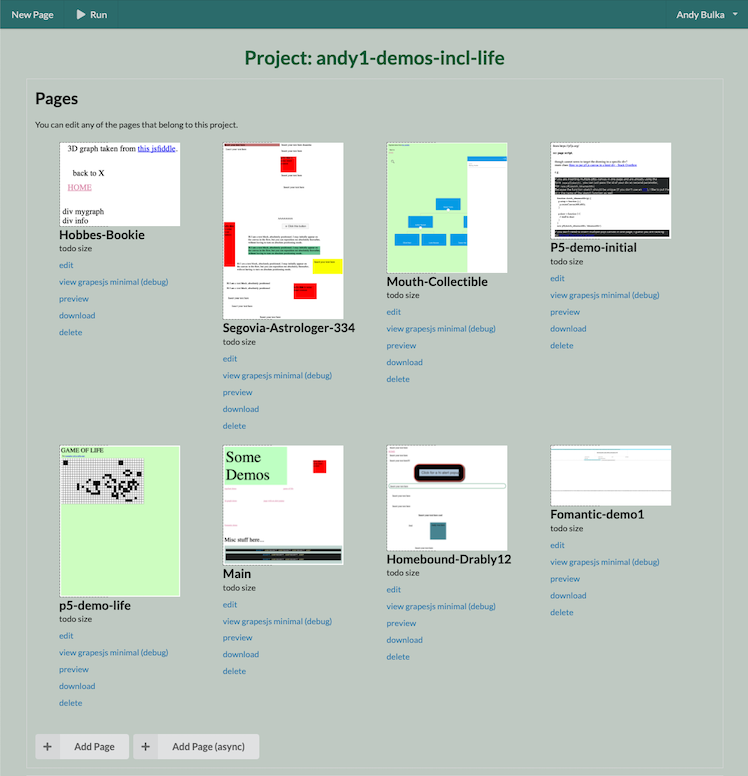
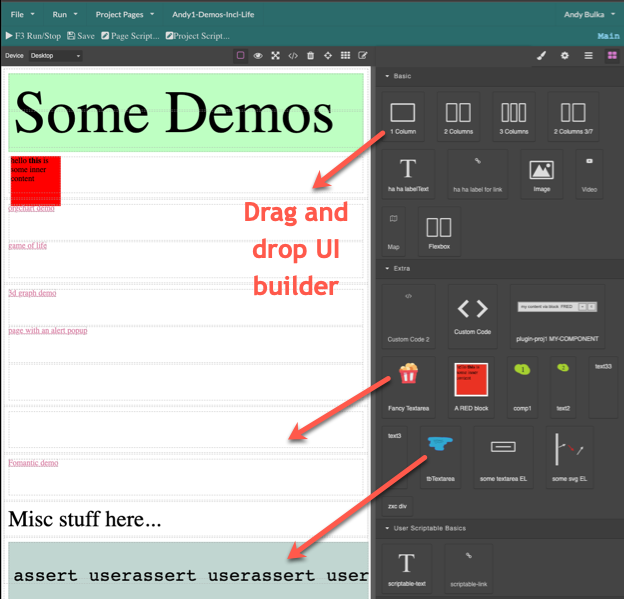
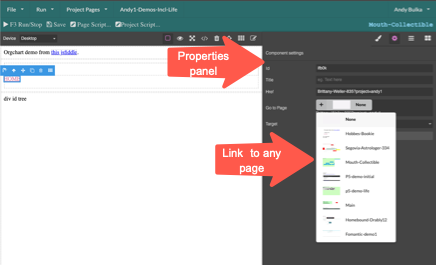
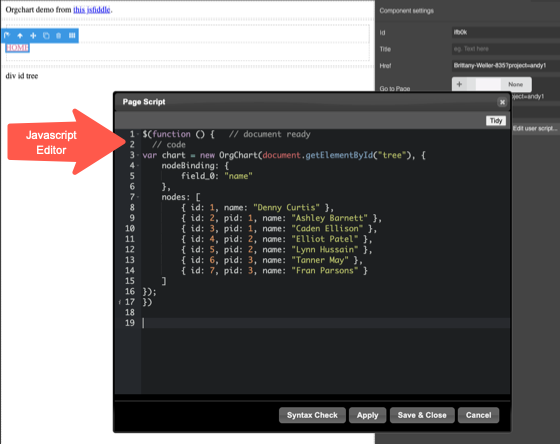
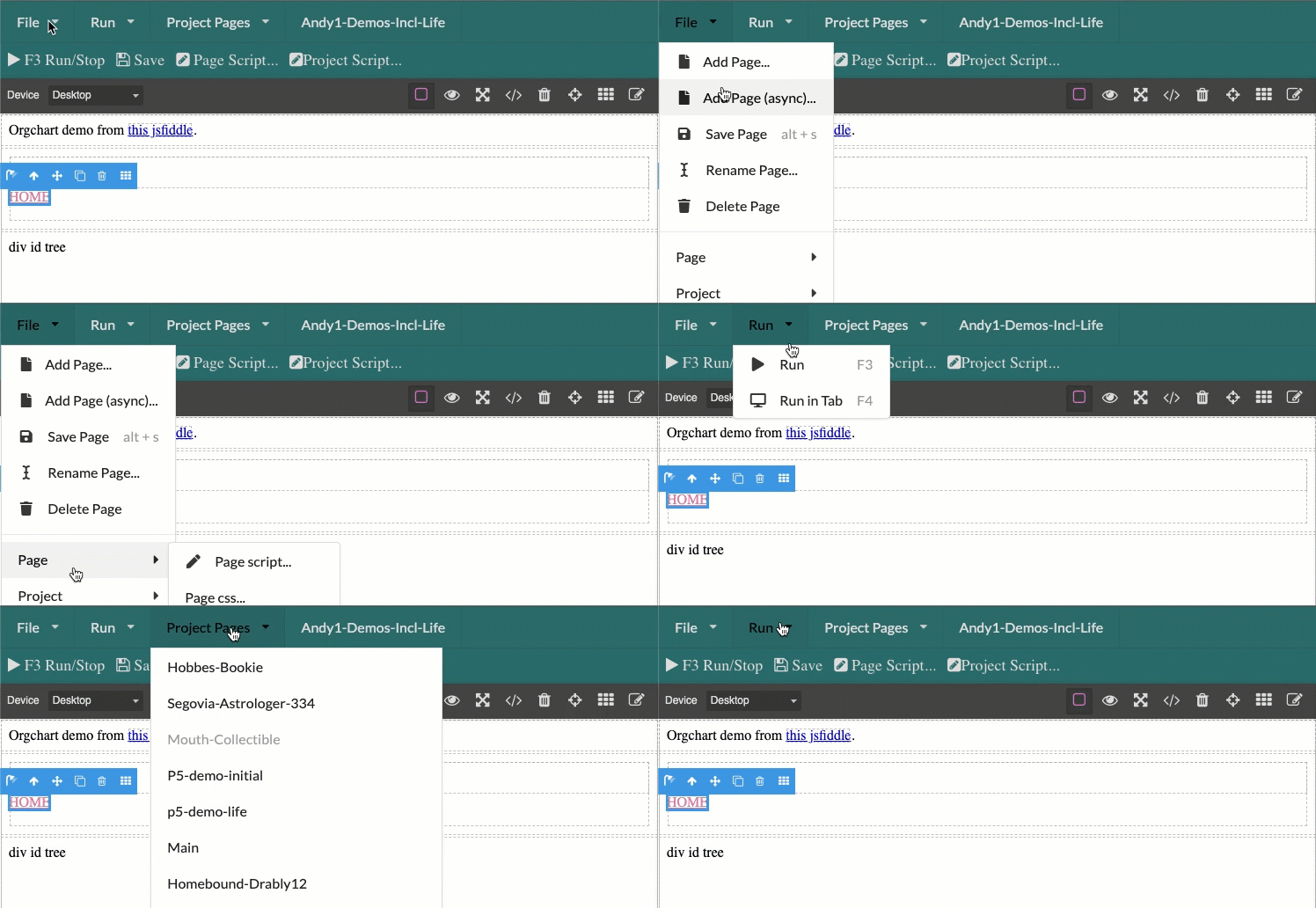
Preview your app with a key press.
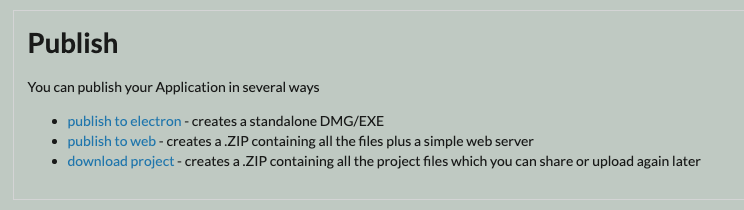
Export to a website or electron app - one click!
Toolback Lite (prototype)
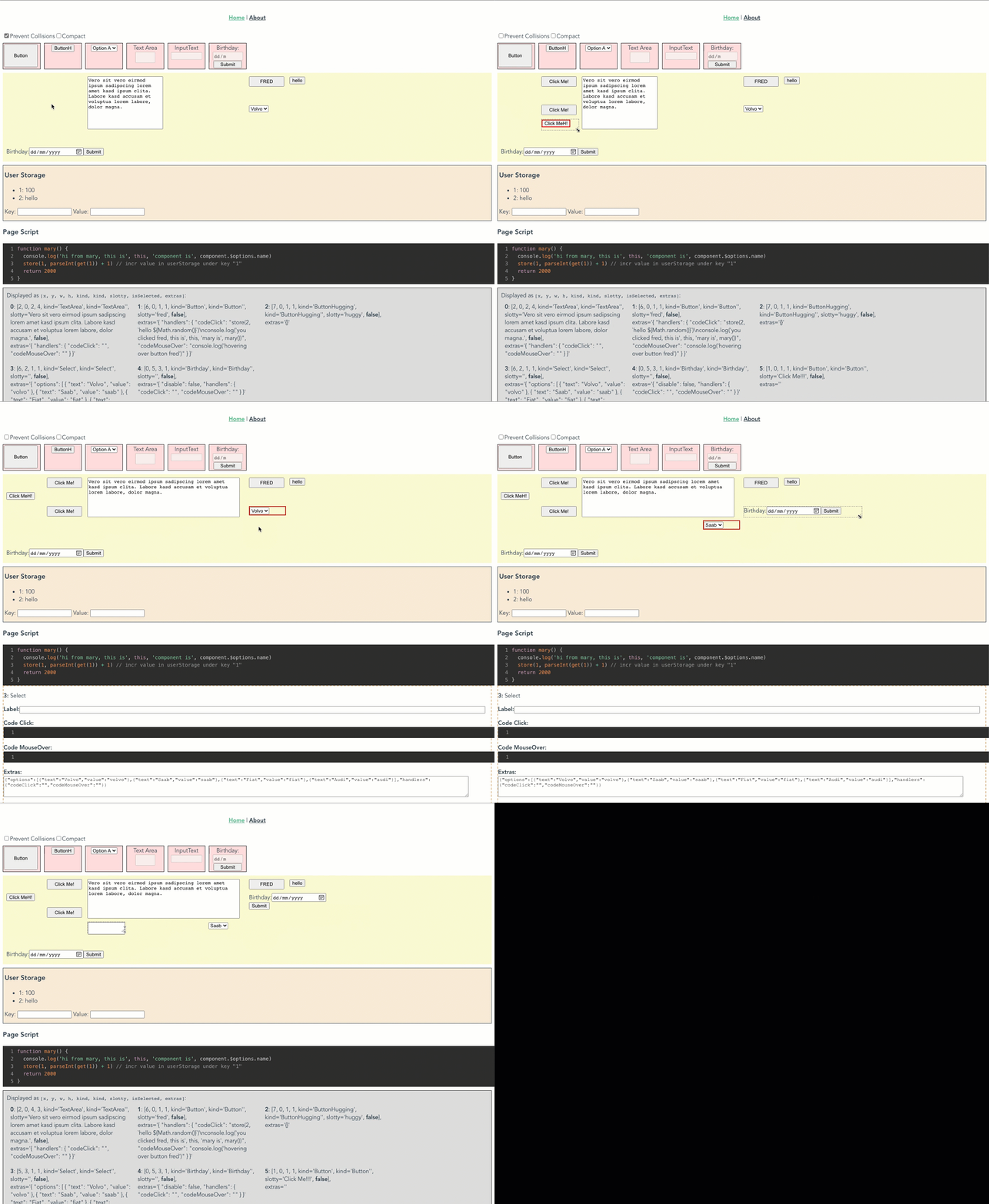
Toolback-Lite is a lightweight drag and drop UI builder and online app building IDE. The drag and drop is done on a grid rather than using the the complex grapes-js html builder library, which Toolback uses.
Other HyperCard & ToolBook Clones
I’m clearly not the only one who misses the card-stack paradigm — there is still demand for such a product. See the Reddit post “I would absolutely kill to have a modern HyperCard”.
LiveCode, SuperCard, and Decker are the leading modern and historical HyperCard clones.
Modern & Active Clones
- LiveCode — A powerful cross-platform evolution (descended from MetaCard) that uses a close relative of HyperTalk and builds desktop, mobile, and web apps. 1, 2, 3, 4
- Decker — An open-source, retro 1-bit multimedia tool inspired by HyperCard that runs right in the browser and exports standalone HTML files. 1
- BrowserCard — A lightweight JavaScript and JSON-based browser reinterpretation of the stack concept. 1
- WyldCard — A Java-based high-fidelity reproduction of classic HyperCard and HyperTalk. 1
Historical & Classic Clones
- SuperCard — The premier classic Mac color clone that expanded HyperCard with full color, multiple windows, and a complete GUI toolkit.
- HyperStudio — A vintage multimedia-focused tool popular in education for creating interactive presentations.
- ToolBook — Asymetrix’s period-accurate Windows alternative that heavily mirrored the card-stack paradigm. 1
- MetaCard — A discontinued, cross-platform commercial HyperCard clone that featured its own integrated development environment (IDE), graphical user interface (GUI) toolkit, and scripting language called MetaTalk. 1
Resources
Toolback
- Try it live — toolback.netlify.app
- Source code — github.com/abulka/toolback4 (topics: toolbook, hypercard-inspired)
- Scripting guide — docs/scripting-guide.md
- Runtime internals — docs/runtime-internals.md
- Plan & milestones — PLAN.md
My ToolBook background
Before toolback, I was a Multimedia ToolBook programmer in Australia from 1991 to 1998, developing training and educational CD titles for businesses around Australia (Telstra, BHP, TAFE, Unisys and others).
I also ran the Australian Toolbook User Group (ATUG):
- ATUG website — abulka.github.io/toolbook/
- Toolbook Tips Magazine — abulka.github.io/toolbook/tipsmag.htm — hundreds of real ToolBook tips (not Toolback!), plus the downloadable offline “Knowledge Nuggets” tips reader.