Cinema
Cinema — Text to Cinematic Shot Lists
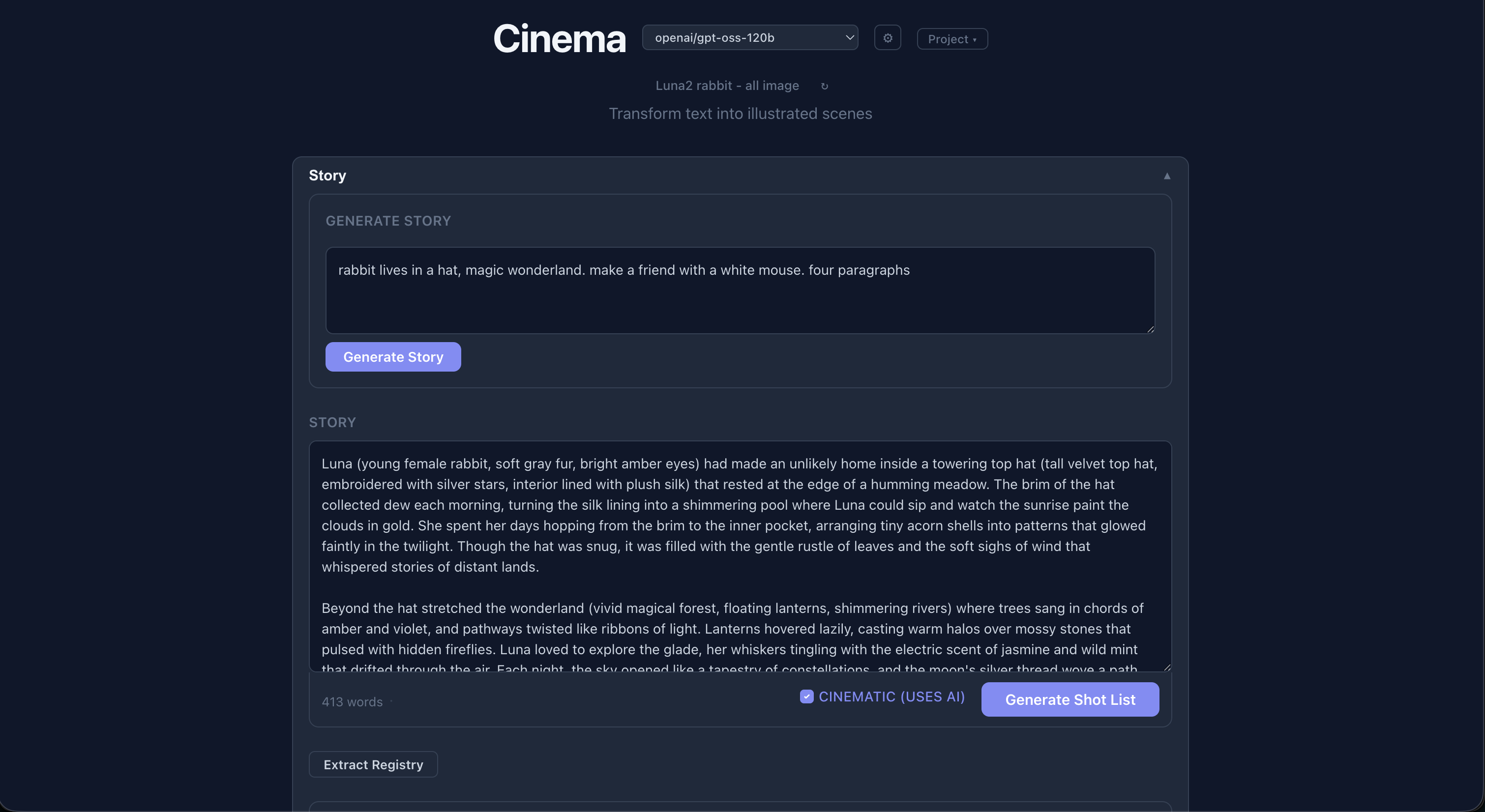
Cinema transforms a written story into an illustrated, cinematic shot list. Paste a story, and a local LLM turns it into a structured breakdown of shots — subject, action, emotional beat, lighting, camera note, color palette, location — which you can then render as images through your own local image-generation backend. It is built entirely around local AI: Ollama for the language model and a configurable render backend (ComfyUI etc.), so nothing leaves your machine.
How it works
- Paste or generate a story in the text area. The story can include parenthetical
character and location descriptors (e.g.
Mary (young blonde woman, short red dress)) that are carried through the whole pipeline. - Generate shot list — the LLM analyses the story and produces a structured JSON shot list
with fields per shot:
subject,action,emotional_beat,lighting,camera_note,color_palette,location, and anexcerpt. - Toggle Cinematic mode for a two-stage pipeline:
- Stage 1: the LLM generates a full cinematic treatment — a shot list with camera directions.
- Stage 2: each shot’s structured data is sent back to the LLM to produce a detailed image-generation prompt.
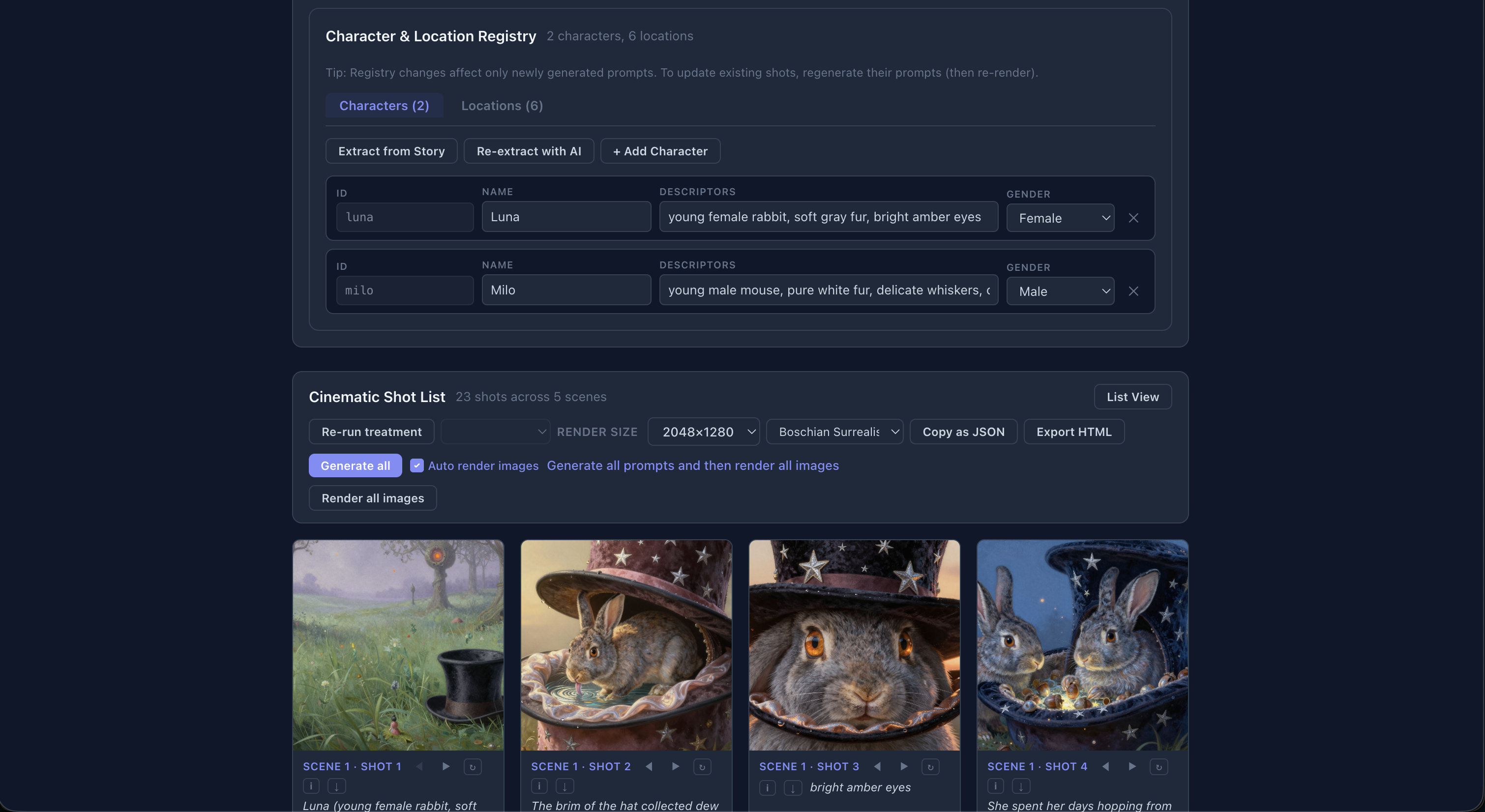
- Render images — each shot can be rendered via a local image-generation backend (Stable Diffusion, Flux, etc.) configured through the app.
- Switch between List and Storyboard views (
Alt+1/Alt+2).
Architecture
User story text
    │
    ▼
┌─────────────────────────┐
│ Ollama LLM              │
│ (prompt/story/shot API) │
└──────┬──────────────────┘
       │ structured shot data
       ▼
┌──────────────────────────────┐
│ CinematicShotEditor (Vue)    │
│ - List / Storyboard views    │
│ - Edit shot fields in-place  │
│ - Per-shot prompt generation │
└──────┬───────────────────────┘
       │ image_prompt string
       ▼
┌─────────────────────┐
│ Render backend API  │
│ (e.g. Stable Diff.) │
└──────┬──────────────┘
       │ rendered image
       ▼
    Displayed in UI
Because the LLM’s JSON output is validated with Zod schemas, malformed or missing fields are caught before they reach the UI — the shot list is always well-typed.
Key features
- In-place editing of every shot field, so you can fix the LLM’s creative choices by hand.
- Per-shot prompt generation — regenerate just one image prompt without re-running the whole story.
- Copy as JSON for debugging or piping elsewhere.
- Render size picker and a worker pool for generating many prompts/images in parallel.
- Export to
.zip— projects can be saved and shared (see examples below).
The bundled CLI: ollama-speed-test
Cinema’s repo also ships a standalone benchmark script,
bin/ollama-speed-test, which compares MLX vs Base builds of Qwen3 on Apple Silicon. It
runs three tests (raw generation throughput, a cache-proof long-prefill test, and a realistic
thinking-mode workload) and reports wall time, eval rate, prefill rate, token counts, and a
fair ms/token comparison — with sane defaults like cooldowns between runs to bust Ollama’s KV
cache and notes on thermal throttling. It is a great companion if you are tuning which local
model to use for shot generation.
Examples
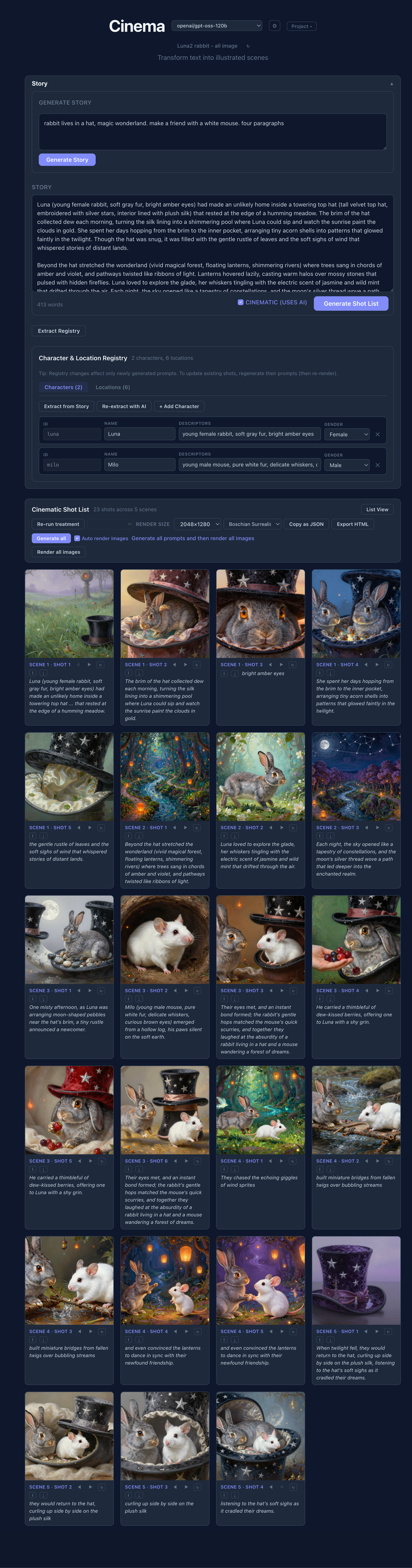
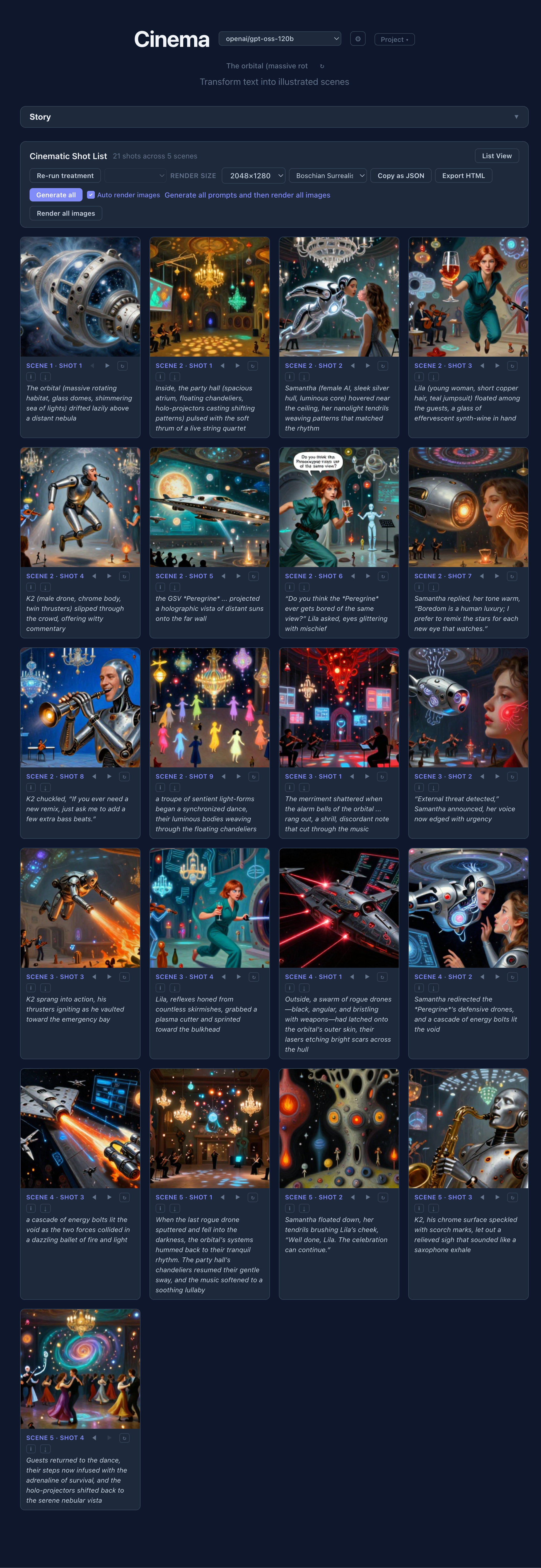
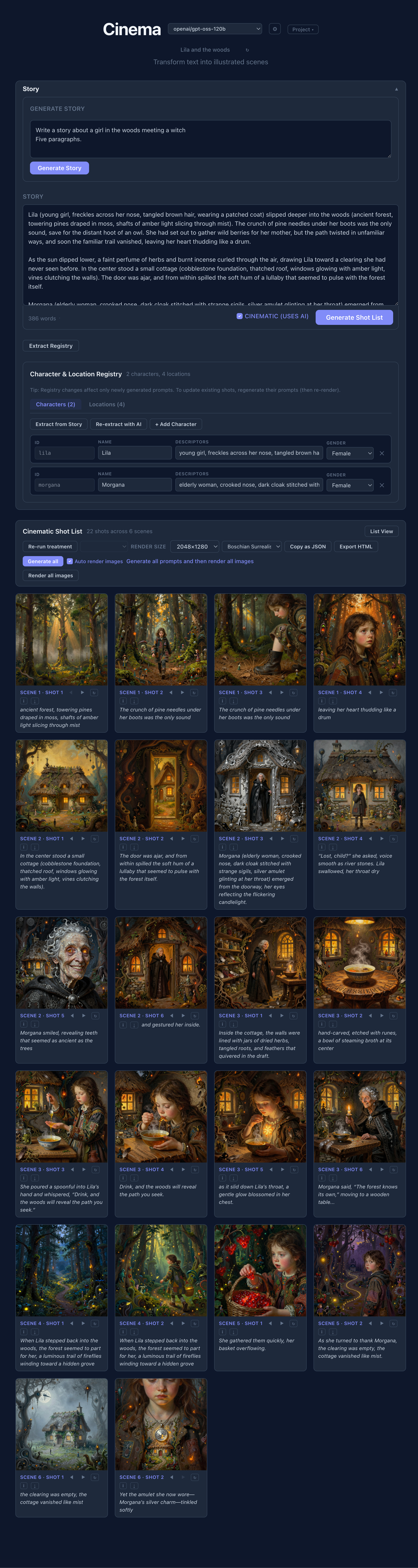
Complete generated storyboards for example stories — story on the left, the rendered shot-by-shot filmstrip on the right. These are long, full-page screenshots, so click to open them:
Tech stack
- Frontend: Vue 3, TypeScript, Vite.
- LLM interface: the Ollama chat API (
/api/ollama/api/chat). - Data validation: Zod schemas for LLM JSON output.
- Image rendering: configurable backend (ComfyUI, etc.) via a Vite proxy.
Status
Everything runs locally and requires you to build and run it yourself — it assumes a running
Ollama instance with a model pulled (e.g. llama3.2) and an image-render backend. There are no
hosted builds or prebuilt releases yet; producing GitHub Releases is on the TODO list for the
future.
Code: github.com/abulka/cinema (private for now)