wxdiagram
wxdiagram
A zoomable shape-and-connector canvas for wxPython.
wxdiagram gives a wxPython application a modern diagram canvas without the
ceremony of wx.lib.ogl: shapes, edges, selection, zoom/pan, layout hooks and
JSON persistence in a small MIT-licensed package.
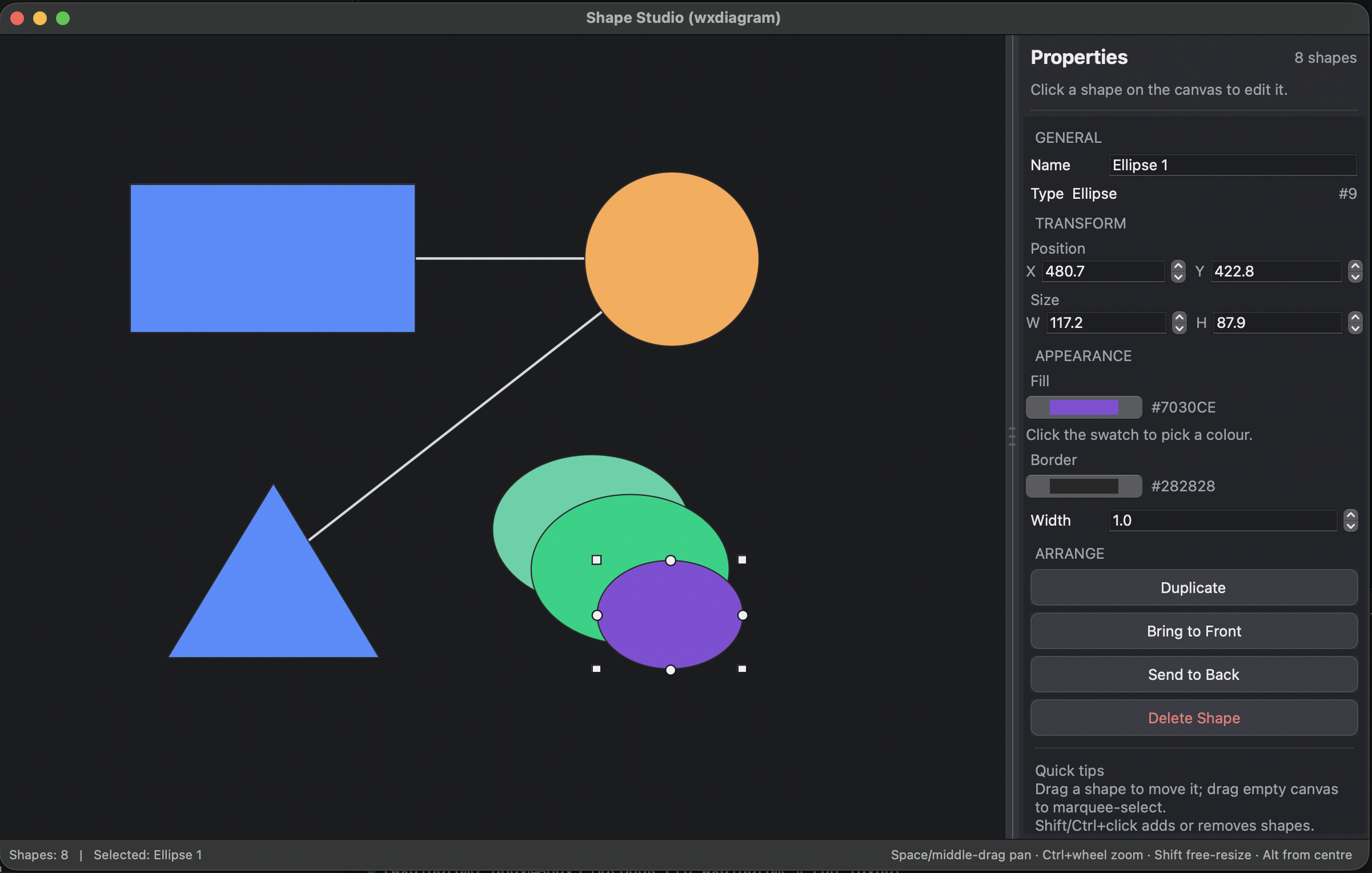
The shape editor demo: properties panel, shape tools, connection dots, grouping and themes.
What it does
- Canvas with real zoom/pan —
ZoomIn,ZoomOut,ZoomTo,ZoomReset,ZoomToFitandCenterOn; Ctrl+wheel and macOS pinch zoom anchored at the pointer; drag empty canvas to pan; the scrollable area tracks the diagram. - Selection and editing — marquee select, Shift/Ctrl add, Esc clear, arrow-key nudge, duplicate, z-order, undo/redo, resize handles, grid/snap and magnetic alignment guides.
- Connectors — attached lines clipped to shape perimeters, so they follow
the shapes and meet the facing sides. Arrowheads, splines, dashed pens, bend
points, editable labels and per-edge routing modes (
straight,auto,avoid,curved,orthogonal). - Shapes — rectangles, ellipses, circles, polygons, points, lines, resizable bitmaps, divided UML-style shapes, labelled blocks, composites with layout constraints, text labels and captions.
- Layout and routing hooks — an optional spring layout, crossing-aware
refinement, and injectable edge routers. Layout is pluggable, so an
application can run its own algorithm and hand positions to the canvas.
wx.lib.oglhas nothing comparable. - Export and persistence — render the diagram to PNG at any scale with
ShapeCanvas.ExportPng, and save/load versioned JSON (no pickle). - Headless-friendly — shapes and the diagram model work without showing a window.
Quickstart
Requires Python 3.10+ and wxPython 4.2+.
pip install wxdiagram
import wx
import wxdiagram

app = wx.App(redirect=False)
frame = wx.Frame(None, title="wxdiagram minimal", size=(600, 400))

canvas = wxdiagram.ShapeCanvas(frame)
canvas.SetDiagram(wxdiagram.Diagram())

shape = wxdiagram.RectangleShape(100, 100, 300, 200)
shape.AddText("hello world")
canvas.InsertShape(shape, 999)

frame.Show()
canvas.update_virtual_size()
app.MainLoop()
Connect two blocks with an attached line that re-routes as they move:
canvas.join_shapes(left_block, right_block)
Layout and routing
Unlike wx.lib.ogl, wxdiagram includes optional layout hooks: a deterministic
spring layout (ShapeCanvas.ApplyLayout), crossing-aware refinement
(reduce_crossings), and pluggable edge routers with a batch route_many hook.
Layout is a protocol rather than a fixed engine, so an application can run its
own algorithm and hand positions to the canvas.
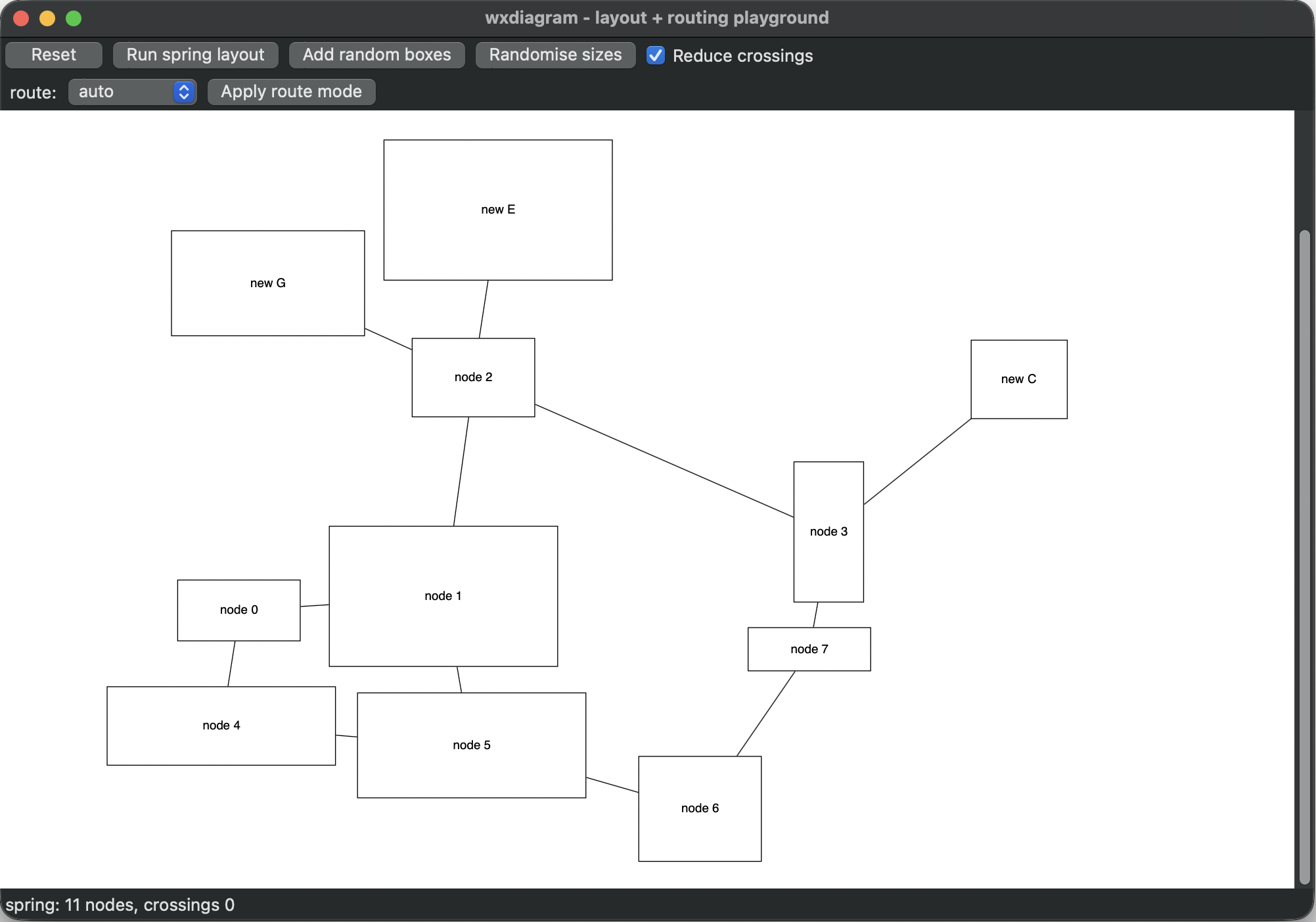
The layout playground: run the spring layout, add nodes, randomise sizes and switch route modes. The status bar reports the crossing count.
Built for Pynsource
wxdiagram began life as ogl2, the internal canvas of
Pynsource, the Python UML tool. It was
extracted, renamed and published as a standalone library in November 2026.
Pynsource is still its main downstream consumer and continues to drive the API.
Read the engineering story in wxdiagram: a modern diagram canvas for wxPython, and the older article on developing the UML layout and overlap-removal algorithms that Pynsource uses.
Scope
wxdiagram is a canvas library, not a UML framework or a full layout
engine. It deliberately does not include a UML parser, application menus,
licensing, PlantUML integration, or a Sugiyama/A* layout engine. That is the
job of the application above it — which is exactly how Pynsource uses it.
Beta (0.2.7): the public API is still settling, so pin a version if you
depend on it.